


TaskCards
How do I provide well-structured learning materials, and how can I organize them digitally so that students can quickly find their way around? Help is provided by the online platform TaskCards, which can be used to sort and clearly display learning content, information, or deadlines.

In a nutshell: What is TaskCards?
FACTS
Link: https://th-koeln.taskcards.app/#/home/start
License: no license at TH Köln, the free version includes 2 pinboards and unlimited storage, but the upload size is limited to 10 MiB. For members of educational institutions, the basic version, with 6 pinboards, unlimited storage, and 100 MiB upload size, costs 30€ per year. The Pro version, including unlimited pinboards and storage space as well as 250 MiB upload size, is available for 60€ per year.
Login: Once your account has been activated by the DLE, you will receive an invitation link which you can use to register with TaskCards using a password of your choice.
TECHNICAL REQUIREMENTS
– Internet connection
– Laptop, tablet, or smartphone
TaskCards is a digital pinboard. With the help of TaskCards, you can structure learning materials and provide them to your students in a clear way. At the same time, TaskCards is also suitable for collaborative work. A TaskCard can consist of text, images, links, and various file attachments. The pinboards are private or can be made publicly available via a link. The TaskCards’ comment function provides the option of rating and giving feedback on content.
Data Protection & Accessibility
TaskCards runs on German servers and thus conforms to the DSGVO (European General Data Protection Regulation). Therefore, TaskCards can be recommended in terms of data protection (compared to the US software Padlet, which offers similar features). Find detailed information about the data protection of TaskCards here. In terms of accessibility, the platform still has room for improvement. Albeit the multimedia application options offer scope for accessible design, blind people have so far only been able to capture posts with the screen reader and not create them themselves. You can find a detailed analysis here.
Range of Features
- Collaborative work
- Organization of learning units
- Securing and documenting results digitally
- Securing foreknowledge
Uses
Step by Step
To obtain a licence for TaskCards, please contact the Digital Learning Expert (DLE) at your faculty or institution. An overview of the DLEs can be found here: CoE für digitale Lehre – TH Köln (expand the first accordion).
Once your account has been activated by the DLE, you will receive an email containing an invitation to register, sent to your TH Köln email address. In the next step, set a username and password.
After registration, you can start creating your pinboards straight away.
In the future, you will log in using your TH Köln email address and your password.
Help to get started: TaskCards Anleitungen – TaskCards (German)
Select Layout
Depending on the scenario, you can choose between the following layout options: Timeline, Blackboard, World Map, Pinboard or Blog.
- The Blackboard layout format is ideal for creative processes such as creating mind maps during a brainstorming session.
- With the column view of the layout format Pinboard, you can structure learning content.
- The Timeline layout format is used to visualise chronological sequences.
With the World Map layout format, you can place pins on locations all over the world and add content such as videos or links to them.
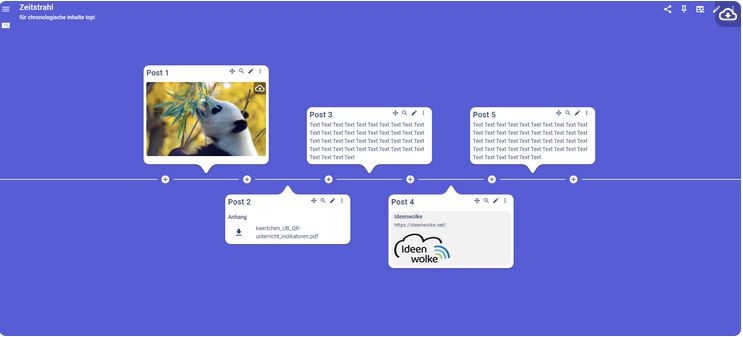
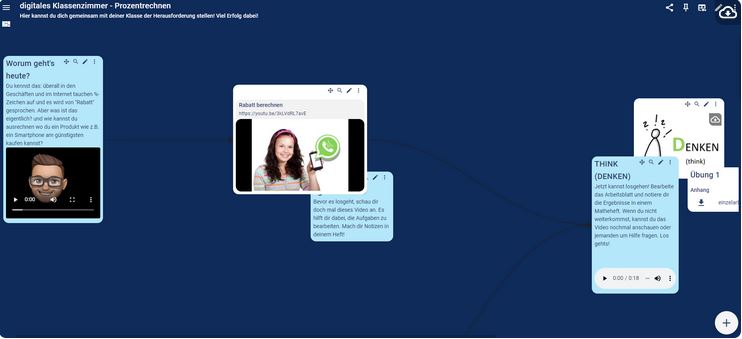
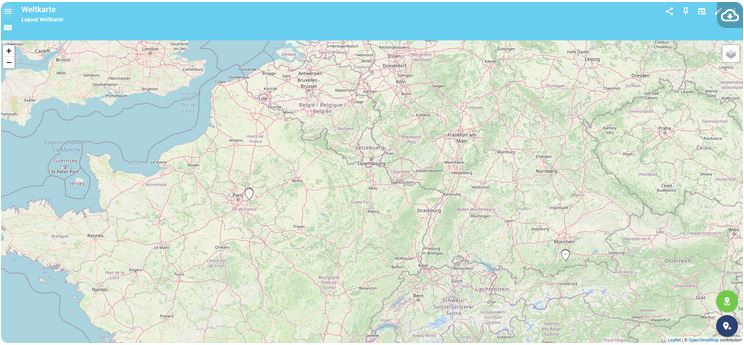
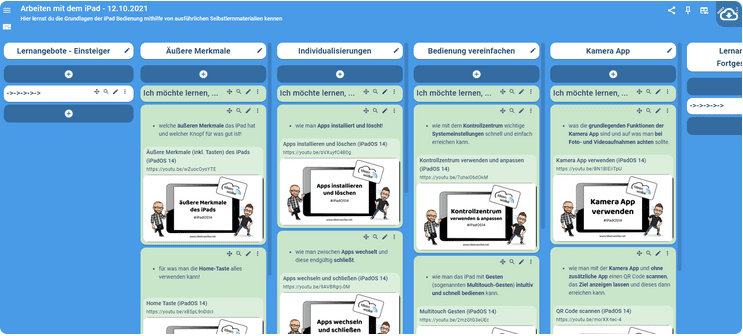
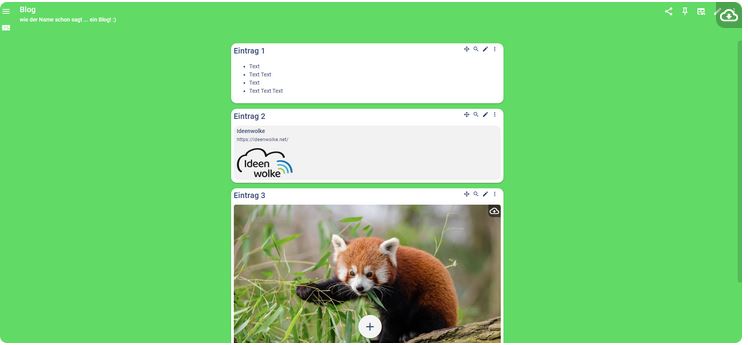
For creative processes such as the creation of mind maps during a brainstorming session, the Blackboard layout format is ideal. With the column view of the layout format Pinboard, you can structure learning content. The layout format Timeline is used to display time sequences. With the World Map layout format, you can place pins at locations around the world and add materials, such as videos or links to them.
Adding elements
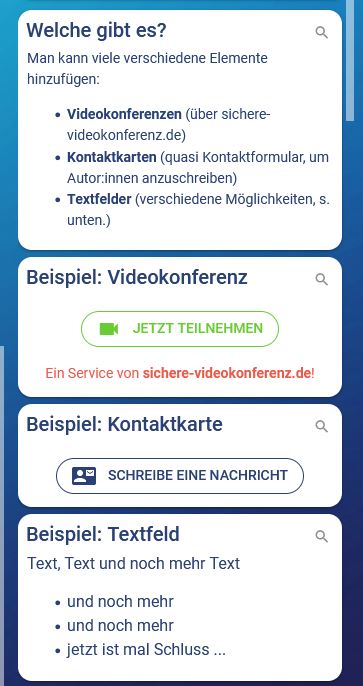
On TaskCards you can equip your pinboard with the so-called TaskCards. For these cards, you can choose between the elements of video conference, contact cards, and text fields. Students can reach you via text message using the contact card. A video conference can quickly be started only by clicking on the element. The text field element offers several design options. You can either upload images, videos, GIFs, PDFs, or audio recordings. At the same time, it can also be used for ratings and comments. In addition, text formatting and linking options are available in the text field element.
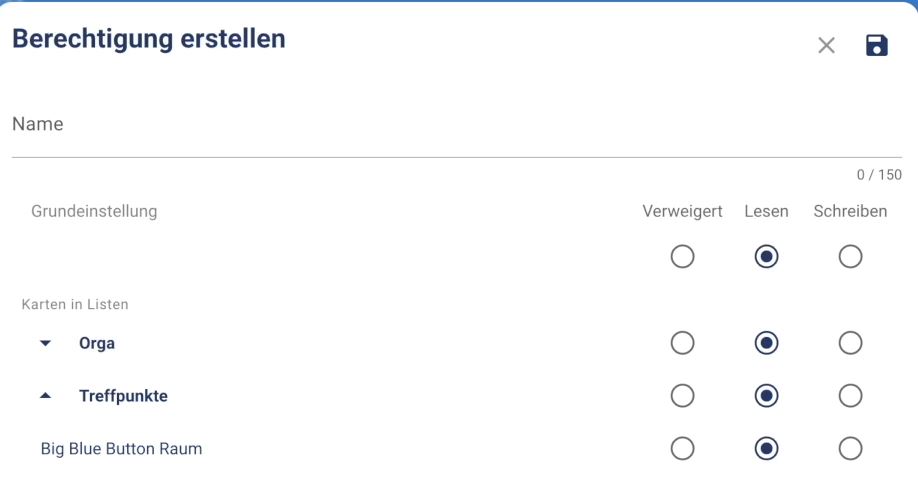
TaskCards has the advantage of sharing access permissions for a pinboard or just individual cards. This can be used, for example, for group work or the successive release of learning materials. In addition, you can manage read and write permissions individually. Further, pinboard access could be generated via QR codes and links.
Useful Tips
TaskCards offers many possibilities for use in teaching. For this reason, before creating your pinboard, be aware of the function it should fulfil in teaching.
Importing from Padlet to TaskCards
You can move existing Padlet boards over to TaskCards. In the video below, you’ll learn how to import them quickly using CardIO (German).
Any questions?
Feel free to contact us by mail to lehrpfade@th-koeln.de!
Links & Literature
Header image: © TaskCards, Screenshot Zentrum für Lehrentwicklung (ZLE)